
Metadata that stays with the photo
Capture date, time, coordinates and address are stored with each photo and shown next to it in the app and in reports. They are kept as data, not stamped onto the image, so the picture itself stays clean.
ConstruLog keeps every site photo inside its project, with the time it was taken, where it was taken and a written description from the AI. When someone asks what happened, you search instead of scrolling, and you send a photo report instead of forty loose pictures.
The problem
Every crew takes photos. The trouble starts later: they live in personal camera rolls, get sent through chat apps that compress them and drop their details, and nobody can say which floor, which day or which job a picture belongs to. When there is a dispute about hidden work, a delay or damage, the photo that would settle it is impossible to find or impossible to date.
Construction photo documentation software fixes the boring part: every photo goes into the right project at the moment it is taken, with its date, time and location, so the record builds itself while the crew works. ConstruLog adds the part that used to take an evening: a written description of each photo and a report you can send.
How it works
You capture on the phone (iOS or Android) and can browse, search and share from the phone or the web dashboard.
Open the project and take photos or videos of up to two minutes with the in-app camera. Each capture records its date and time and, when you allow location, its GPS position and street address. You can also import from the gallery, including iPhone HEIC photos, and scan documents.
Draw on a photo with pen, arrows, boxes and text to point at the problem. Teammates can comment on any photo, and you can attach photos to checklist items as reference or proof that the item is done.
Ask the AI to analyze a photo and it writes a short description, the trade category and construction stage, the visible elements, and safety and quality findings, each with a severity and a recommended action. It also adds tags you can search by.
What you get
Everything stays in one place per project, on the phone and on the web.
Capture date, time, coordinates and address are stored with each photo and shown next to it in the app and in reports. They are kept as data, not stamped onto the image, so the picture itself stays clean.
Add your own tags or use the AI tags, then search the gallery on the web by text, project, tag or date. No more scrolling through months of pictures to find one wall.
On the web, every located photo of a project appears as a pin on a map with its file name and date. On the phone you can open the map for any single photo.
Pair two photos of the same spot with a label to show progress or a repair. Available on paid plans.
Share a read-only project timeline link with photos grouped by month, each with its date and location. You can revoke the link at any time, and it is hidden from search engines.
From photos to reports
Most photo apps stop at storage. In ConstruLog the photos are the input for the written record. A daily log is written in one tap from that day’s photos, voice notes and comments; a fuller report adds sections for observed work, safety and quality observations, issues and risks, pending items and recommendations. The AI is told to write only what the photos support and to flag photos that are too dark or blurry instead of guessing.
Every report is a draft until you send it: you edit the text, choose whether the photo descriptions appear, and export a PDF or Word file. On paid plans the client can sign the report from the share link, and your logo and colors replace the ConstruLog header that Free reports carry.
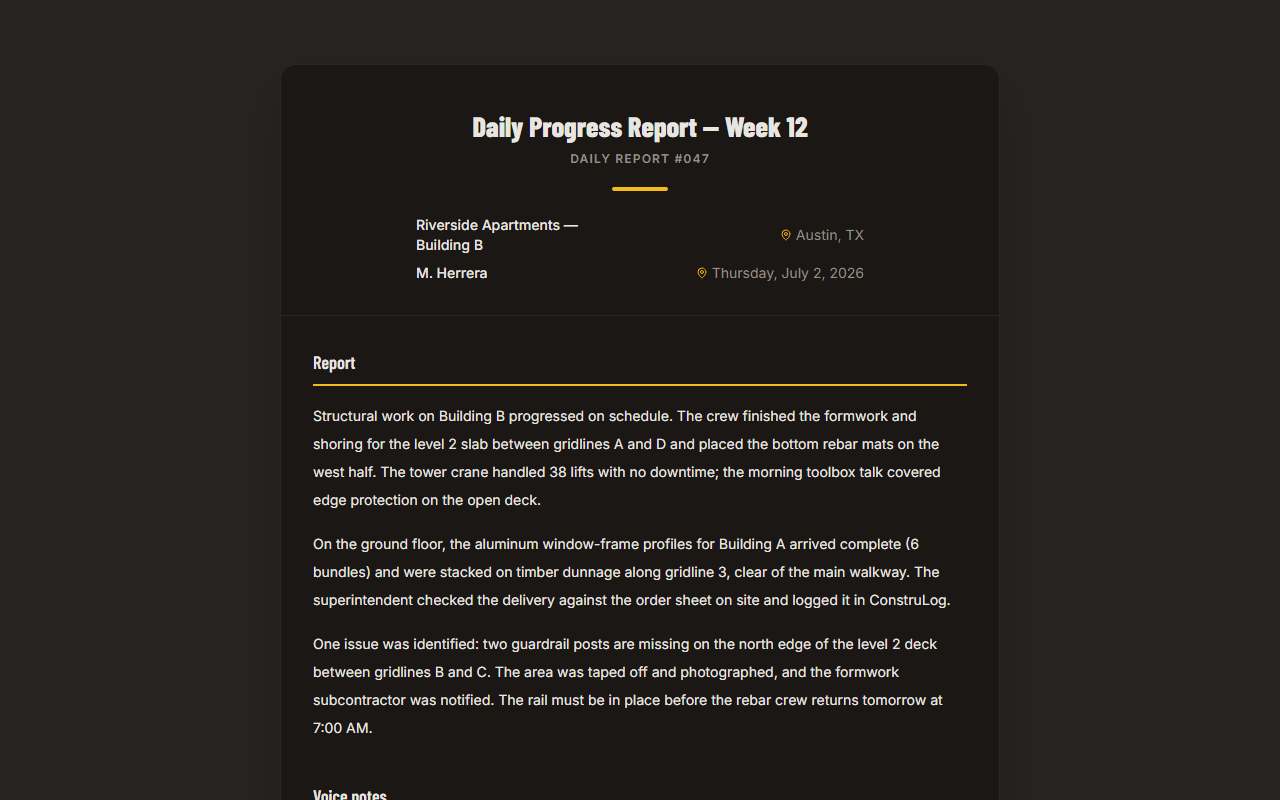
No signal on site
Photos taken without a connection are not lost. The app saves each photo or video on the phone and adds it to an upload queue before the capture finishes, so it survives even if the app is closed. When the phone is back online, the queue uploads by itself with the original capture time and location.
Only capture works offline. Analyzing photos with AI and writing reports need a connection, because that work runs on our servers.
Plans
The Free plan does not expire and needs no credit card. It covers 1 active project with 20 AI photo analyses, 3 AI reports and 10 voice-note minutes every month.
| Plan | Price / month | Active projects | Seats | AI reports | Photo analyses | Voice minutes |
|---|---|---|---|---|---|---|
| Free | Price / month$0 | Active projects1 |
Who it is for
FAQ
No. The date, time, coordinates and address are saved with the photo and shown next to it in the app and in every report, but they are not burned into the image. The optional watermark on paid plans is your logo or a text badge.
Yes. Free does not expire and needs no credit card: 1 active project and, every month, 20 AI photo analyses, 3 AI reports and 10 voice-note minutes.
Yes for capture. Photos and videos taken offline are queued on the phone and upload automatically when the connection returns. AI analysis and reports need a connection.
Free resources
Free and without an account: use them on their own or next to the app.
Upload a few jobsite photos and get a written report draft. No account, no card.
Free plan that does not expire · No credit card
Generate a report or a daily log from the project’s photos. The PDF lists each photo with its date, time, location and description, and you send it by email, as a PDF or Word file, or as a link the client opens without an account.
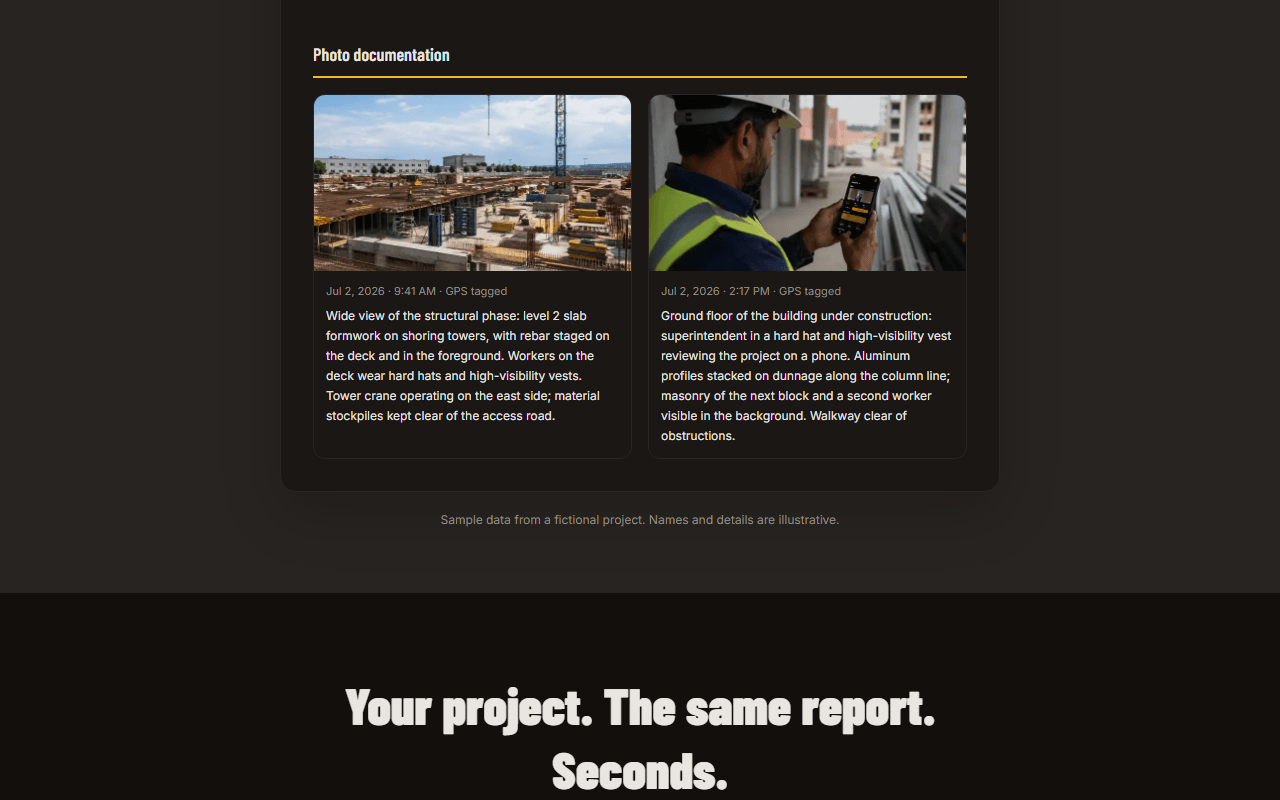
On paid plans you can add your company logo or a text badge to a photo before sharing it, in the corner or center, with the opacity you choose.
| Seats1 |
| AI reports3 |
| Photo analyses20 |
| Voice minutes10 |
| Solo | Price / month$29 | Active projectsNo cap | Seats1 | AI reports30 | Photo analyses300 | Voice minutes120 |
|---|
| Pro | Price / month$59 | Active projectsNo cap | Seats5 | AI reports90 | Photo analyses600 | Voice minutes300 |
|---|
| Teams | Price / month$99 | Active projectsNo cap | Seats12 | AI reports150 | Photo analyses900 | Voice minutes400 |
|---|
Yes. You can import photos from the phone gallery, including iPhone HEIC photos, and upload from the web dashboard. Imported photos join the same project gallery.
Send a photo report as a PDF or Word file or by email, share a report link that opens without an account, or share a read-only project timeline link. Links can be revoked.
On Pro and Teams you invite collaborators to a project as viewers or contributors, and everyone sees the same gallery, comments and activity. Free and Solo are single-user plans.
Not as a single file today. Photos open individually from the app, the web gallery and the links in each report; the account data export includes photo details but not the image files.
Track construction site progress with weighted percent complete, dated photo evidence and a copyable tracking table. Includes a free daily report template.