CompanyCam Alternatives and Competitors: How to Choose by Tool Type
Most people searching for CompanyCam alternatives do not need a ranked list of brands. They need to know which kind of tool fits how their crew actually works: a photo app, a full field-management suite, shared folders and a spreadsheet, or paper. This page compares those four types honestly, then shows where ConstruLog fits and where it does not. We make ConstruLog, so read our column with that in mind: every claim about it comes from the product, and everything we say about CompanyCam comes from our ConstruLog vs CompanyCam comparison, which is based on public information as of June 2026.
CompanyCam is a jobsite photo app that our comparison page calls the more established platform. The usual reasons people start comparing are practical rather than dramatic: the team grew and the bill grew with it, the photos are organized but someone still has to write the daily report by hand, or the tool does more (or less) than the job needs. Naming the real reason first saves time, because each reason points to a different type of replacement.
Cost per person. Per our comparison page (information as of June 2026), CompanyCam is priced per user, so adding crew members raises the bill. Flat plans with seats included change that math for small teams.
Reports still written by hand. Photos are the evidence, but the superintendent or project manager still turns them into a daily log or client report at night.
Signature and sign-off. Some teams want the client to approve a report from a link instead of printing it.
Too much or too little tool. A photo-only app can feel thin if you also need schedules and tasks; a big suite can feel heavy if you only need photos and a daily record.
We will not guess at anyone’s current price list. Plans, limits and ratings for any third-party product change, so this page does not quote them. Check the vendor’s own pricing page before you decide.
The four types of tools you can use instead
1. Photo-documentation apps
These apps are built around the photo: capture on a phone, organize by project, share with the office or the client. CompanyCam belongs here. They are the closest like-for-like replacement, so the differences that matter are smaller ones: how reports are produced, how teams are billed, and which extras are included.
2. Daily-report and field-management suites
Suites cover more of the project: daily reports, schedules, tasks, forms, sometimes drawings and costs. If your pain is coordination across many trades rather than documentation, this is the category to look in. The tradeoff is usually more setup, more training for the crew and a bigger monthly commitment.
3. Cloud storage plus spreadsheets
A shared folder per job and a spreadsheet or document for the log costs almost nothing and is completely flexible. It also depends on discipline: file names, folder structure and who remembers to upload. Nothing connects a photo to a date, place or daily entry unless somebody types it in.
4. Paper and a phone camera
A site diary or printed form plus the camera roll has no learning curve and works with no signal. The cost shows up later, when you need to find one photo from a specific week, or when a handwritten page has to be retyped to send to a client.
Comparison table: four tool types and ConstruLog
The first four columns describe the type of tool in general terms, not any specific product, so check the product you are considering against them. The ConstruLog column describes what the product does today, including its gaps.
Tool types compared on what matters for site documentation
Tool types compared on what matters for site documentation
Criteria
Photo-documentation apps
Daily-report and field-management suites
Cloud storage plus spreadsheets
Paper and phone camera
ConstruLog
Best at
Capturing and organizing site photos by project
Running schedules, tasks, forms and reports in one system
Cheap and fully flexible structure
Zero learning curve, no signal needed
Turning photos, voice notes and comments into a daily log or report you review
CompanyCam versus ConstruLog, feature by feature
The table below is based on our ConstruLog vs CompanyCam page, updated for current ConstruLog features. The CompanyCam column comes from public information as of June 2026, as recorded on that page; the ConstruLog column reflects the product today, including which features need a paid plan. Treat it as a starting point and verify current details on CompanyCam’s own site, because features and pricing change. CompanyCam is a trademark of CompanyCam, Inc.; ConstruLog is not affiliated with or endorsed by it.
ConstruLog (current product) and CompanyCam (as stated on the ConstruLog comparison page, June 2026)
ConstruLog (current product) and CompanyCam (as stated on the ConstruLog comparison page, June 2026)
Feature
ConstruLog
CompanyCam (per that page, June 2026)
AI writes the report (findings plus formatted PDF)
Yes
Photo reports, no AI-written findings
Client e-signature on reports
Yes, on paid plans
No
Voice notes transcribed into reports
Yes
No
AI daily logs from the day’s activity
What ConstruLog does not do
An honest alternatives page has to say where the alternative falls short. If any of these are requirements, ConstruLog is not the right replacement, and a suite or CompanyCam itself may serve you better.
No scheduling. There is no Gantt chart, look-ahead or critical path.
No costs. No budgets, estimates, invoicing or change orders.
No RFIs or submittals, and no dedicated punch-list module. Checklists with required items and due dates can stand in for a simple punch list.
No drawings. You can attach documents and scans, but you cannot pin photos to a plan. Photos are placed on a map by GPS only.
No time cards or payroll.
No named integrations. There are API keys and webhooks for developers, and nothing like a ready-made accounting or CRM connection.
Offline capture only. Photos and video queue offline. Writing a report, adding a comment or creating a project needs a connection.
Simple roles. Collaborators are viewers or contributors, and clients see work through share links rather than accounts.
What ConstruLog is good at
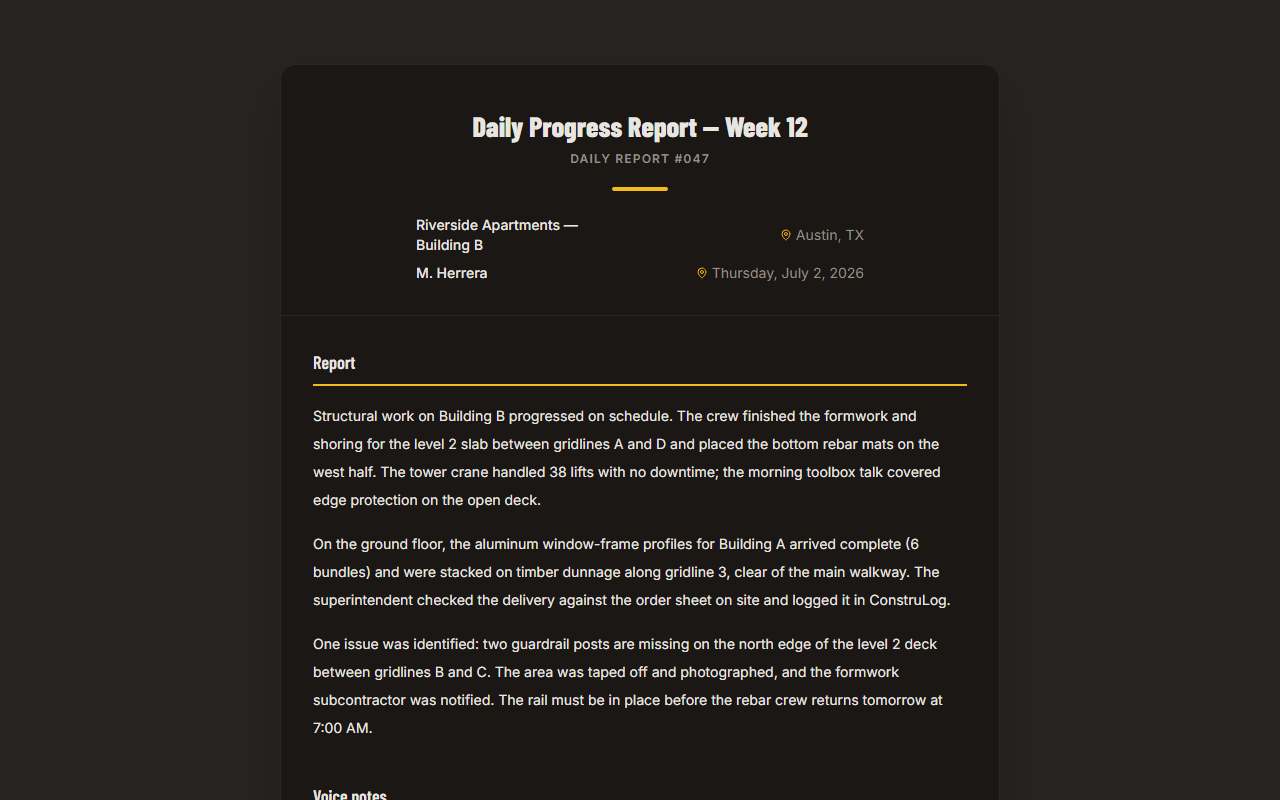
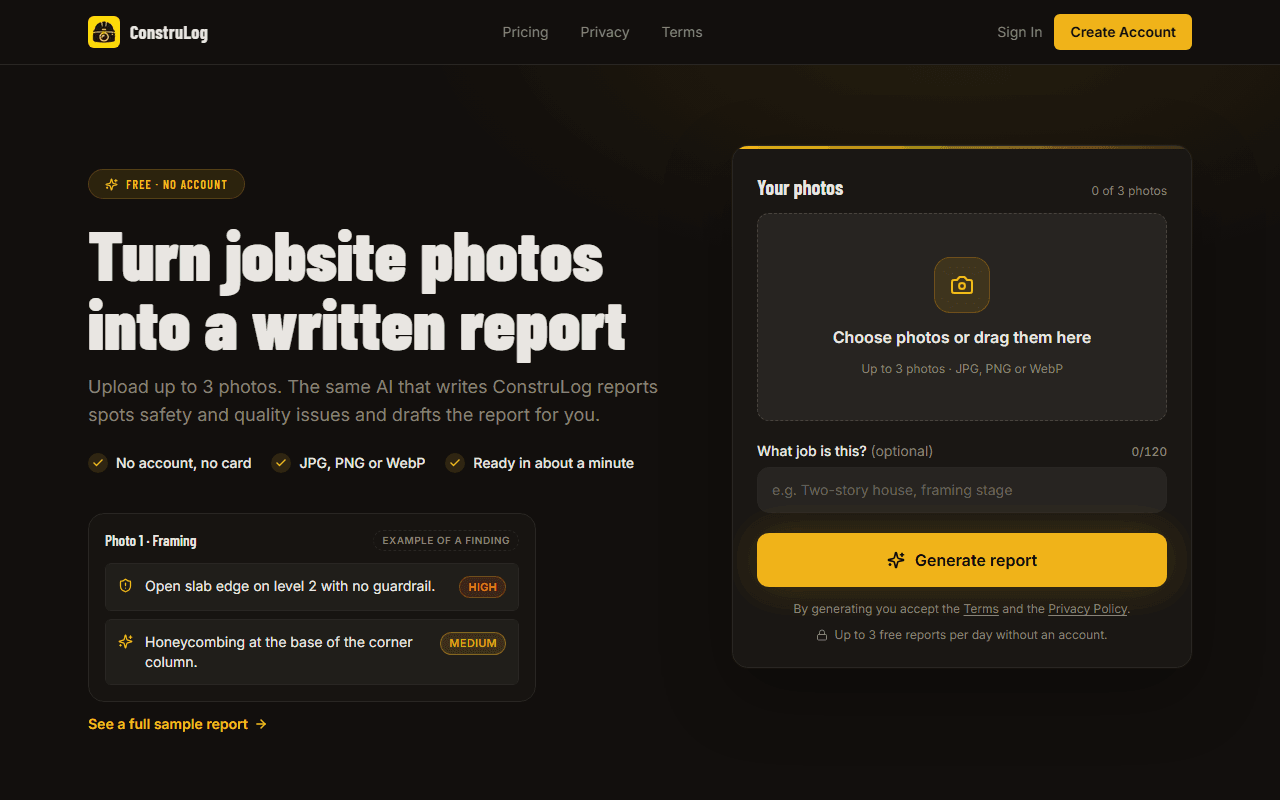
ConstruLog is narrower than a suite on purpose. You take photos, record voice notes and leave comments during the day. Then one tap produces a daily log or a report draft: a short description of each photo, safety and quality findings with a severity and a recommendation, and a narrative you can edit before sending. Image quality is flagged, and when a photo is too dark or blurry the AI is instructed to say activity cannot be confirmed rather than guess. See the demo report or read how the AI works for what it sees and what it does not.
An example report generated from a day of site photos.
Reports can be exported as PDF or Word, shared with a link that needs no login, emailed to the client and, on paid plans, signed by the client. The AI output is a draft: the report is saved as a draft and you review it, because the person who sends or signs is responsible for what it says.
On price, the plans are flat. Free is $0 for one person and one active project, Solo is $29 per month for one seat, Pro is $59 per month with five seats and Teams is $99 per month with twelve seats, with extra Teams seats at $10 per month each. These are web list prices in US dollars; app-store prices can differ. See the pricing page for what each plan includes. Every new account also starts with a 14-day trial of Teams-level access, with no credit card required.
How to choose: a checklist
Answer these in order. The first answer that is a clear yes usually decides the category, and the rest of the list tells you what to test during a trial.
Decision checklist for choosing a CompanyCam alternative
Decision checklist for choosing a CompanyCam alternative
Question
If yes, look at
Test before you commit
Do you need schedules, costs, RFIs or drawings in the same tool?
A field-management suite
Whether your crew will actually use all the modules, and what each added user costs
Is your main problem writing the daily log or client report at the end of the day?
A tool that drafts reports, such as ConstruLog
Run one real day of photos through it and see how much editing the draft needs
Do you need task assignment, CRM integrations or photo measurements?
A photo app with those features, such as CompanyCam per its public information
Each feature on your own phones; confirm on the vendor site that it is in your plan
A fair way to trial any alternative
Do not judge a tool on its demo. Pick one active job and run the same day through the old method and the new one. Use the same photos, the same voice notes and the same person writing the log. Then compare three things: minutes spent producing the record, how much of the final report you had to correct, and whether your client or office could open it without help.
1Choose one job with a normal day of work, not a special inspection.
2Capture photos as you normally would, with a few from poor lighting to see how the tool handles weak images.
3Produce the report the old way and the new way, timing each.
4Send the new report to someone outside your team and ask whether anything was unclear.
5Check what happens with no signal, and what the bill would be at your real headcount.
The no-account page lets you test a report on your own photos before signing up.
They fall into a few types rather than one list: other photo-documentation apps, daily-report and field-management suites, shared cloud folders with spreadsheets, and paper. ConstruLog sits between the first two: it is photo-first like CompanyCam, but it also drafts the daily log or report with AI. Which type is right depends on whether your problem is photos, reports or full project coordination.
Is ConstruLog a good CompanyCam alternative?
It is a good fit if your day ends with writing reports and you want AI to draft them, client e-signatures on paid plans and flat pricing with seats included. It is not the right fit if you need scheduling, costs, RFIs, drawings, native CRM integrations, task assignment or photo measurements. See the side-by-side comparison.
How much does CompanyCam cost compared with the alternatives?
We do not quote CompanyCam’s prices because they change and we cannot guarantee a number. Our comparison page (June 2026) says it is priced per user, so the total grows with each person you add. Check its pricing page for the current figure. ConstruLog’s own web list prices are Free $0, Solo $29, Pro $59 and Teams $99 per month, with seats included.
Is there a free alternative to CompanyCam?
ConstruLog has a permanent Free plan for one person and one active project, with AI analysis and voice notes within monthly limits, no credit card required. Reports on Free carry a ConstruLog header, and the client signature, your own branding and before/after comparisons are paid features. Shared folders plus a photo report template are another free route.
Does ConstruLog have a free trial?
Yes. Every new account gets 14 days of Teams-level access with trial limits on AI reports, photo analyses and voice minutes, and then moves to the Free plan if you do not subscribe. No credit card is needed to start. You can also try a report with no account.
Can I read reviews before choosing?
Yes, and you should, but read them for patterns rather than scores. Look for comments from crews your size, notes on how long setup took, and complaints about billing or support. This page does not quote star ratings for any product because they change and we cannot verify them from here.
Does ConstruLog work offline like CompanyCam?
Partly. Photos and videos taken without a connection are saved to a queue on the phone and upload automatically when the connection returns; failed items stay visible for manual retry. Our comparison page lists offline capture with auto-sync for both tools. In ConstruLog, creating reports, comments, checklists or projects still needs a connection.
Will AI-written reports be accurate enough to send?
Treat them as a draft. The report is created in draft status and you edit the text before sending. The AI is instructed to report only what the evidence supports and to flag dark or blurry images instead of guessing. The person who sends or signs the report is responsible for its content.