Free Construction Daily Log App: What You Get and What You Do Not
ConstruLog has a Free plan that does not expire. You can keep a daily log from your phone with photos, voice notes and an AI-written draft that you review, and you do not need a credit card to use it. It also has hard limits, and this page lists every one of them with the real numbers so you can decide in five minutes whether Free is enough for your jobsite or whether you will hit a wall in week two. You can also try the report generator without an account before signing up for anything.
Free is a plan, not a trial. Every new account starts with 14 days of Teams-level features (12 seats, no project cap) with trial usage quotas of 15 AI reports, 150 photo analyses and 60 voice minutes in total, and when those days end the account drops to Free instead of asking for payment. No credit card is needed to sign up, and nothing is charged automatically at the end of the trial because no card was ever on file.
The Free plan is built for one person running one job: a superintendent, a small remodeler, a solo GC or a site manager who wants a daily record without paying for software. It runs on iOS, Android and the web, in English and Spanish.
Free vs paid (Solo): what you actually get
Solo is the cheapest paid plan, so it is the fairest comparison. Every number below comes from the plan limits in the product, not from marketing copy.
Free vs paid (Solo) — what you actually get
Free vs paid (Solo) — what you actually get
Free
Solo
Price (web list price)
$0
$29 per month
Active projects
1
No cap
Seats
1
1
AI reports per month
3
30
AI photo analyses per month
20
300
Voice-note minutes per month
10
120
Digital signature from the client
No
Yes
Your own logo and colors on reports
No
← Swipe sideways to see every column →
Two rows deserve a second look. Solo has the same single seat as Free, so a paid Solo plan does not let you add a foreman or a project manager. And the AI quotas on Free are monthly: 3 reports and 20 photo analyses is enough for a short job or a light week, not for a daily log on a busy site with 30 photos a day.
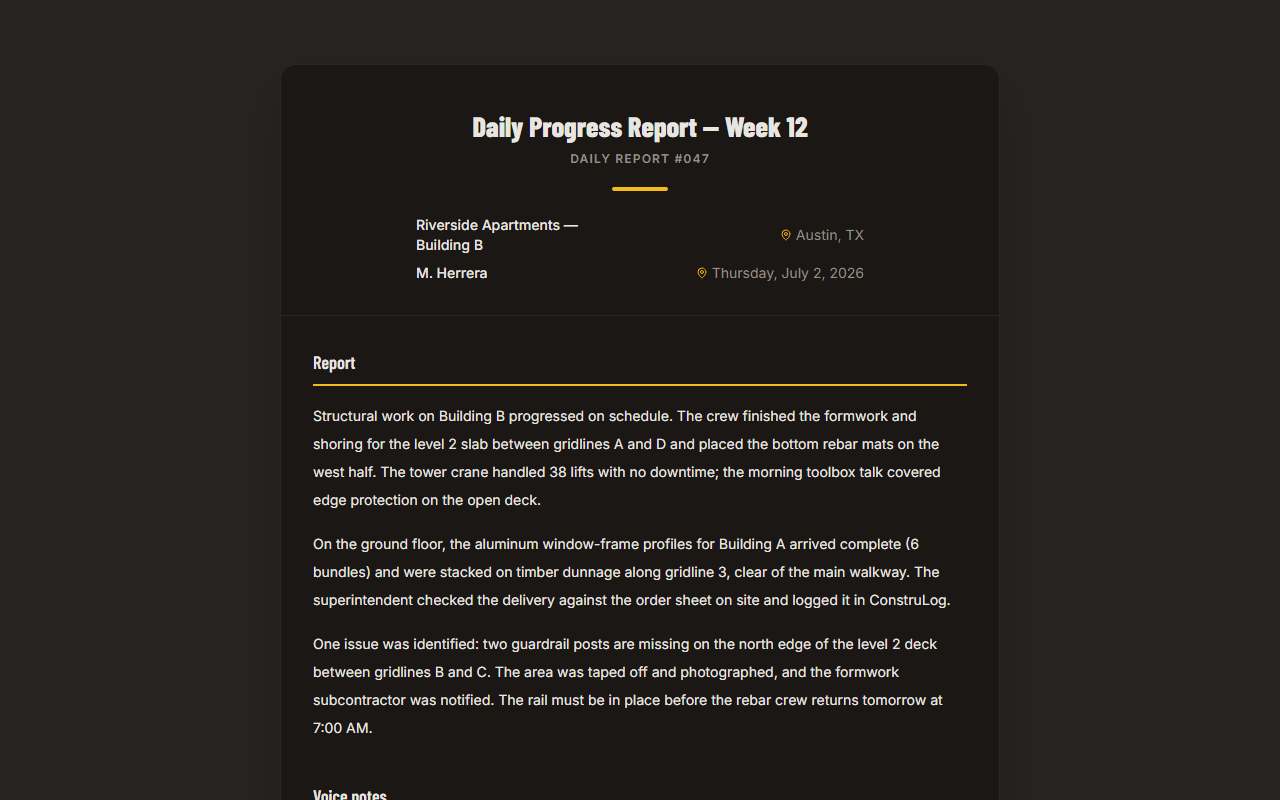
An example report generated from a day of site photos. The Free plan produces the same structure with a ConstruLog header on the PDF.
How the daily log works on Free
You take photos and record voice notes during the day, in the app. At the end of the day you tap one button and ConstruLog drafts a daily log of two to five paragraphs from that day's photos, voice notes and comments. The draft covers the work performed, people, materials and equipment it can see, weather, safety and quality observations, and open items for the next day. It is saved as a draft report of type "daily".
The word "draft" is literal. The AI can only describe what is in the photos and what you said, so you read it, fix it and then send it. The narrative is edited as one block of text, not section by section, and the PDF uses your edited version. The PDF also states that the report was prepared with AI assistance and reviewed by its issuer. If you want to see how the analysis is done and what data is involved, read how the AI works, or open the demo report.
Weather is filled in for you, when a photo has a location
Weather comes from the coordinates of the first photo you took that day that has GPS. The log records conditions, minimum and maximum temperature, precipitation and maximum wind. If none of the day's photos has a location, or the weather lookup fails, the log is still written, just without weather, so check that line before you send it. When weather is used, the report carries the attribution "Weather data by Open-Meteo.com, licensed under CC BY 4.0."
Photos carry date, time and place as metadata
Each photo stores its capture time and, if you allowed location access, its GPS position and a street address. The PDF prints the date and location next to each photo. That information is stored as data and shown in the report; it is not stamped onto the image itself.
What works offline, and what does not
Offline support is narrow, and you should know that before you rely on it. Photos and videos you capture without a connection are saved on the phone and put in an upload queue, so they survive the app being closed. They upload on their own when the signal comes back. If an upload still fails after three automatic retries, it stays in a Sync Center screen where you can retry it by hand; nothing is deleted automatically.
Creating a report, generating the AI draft, writing comments and creating projects all need a connection. On a site with no signal, capture all day and generate the log from the truck, the office or the hotel.
Your data is not held hostage when you stay on Free
The one-project limit applies to creating or reactivating projects, not to access. If you had more than one project during the 14-day trial, those projects are not locked when the account falls to Free: you can still open them and see their photos and reports. What Free blocks is creating a new project past the one-project cap.
Reports you generated can be shared through a link that opens without a login, and the link can be revoked at any time. You can also request an export of your account data from Settings. It arrives by email as a JSON file with your projects, media details and report list; it does not contain the image files themselves, so keep your own copies of the PDFs you care about.
When Free is enough, and when to upgrade
Use the checklist below against your actual job. If your answer lands in the right column on any row that matters to you, Free will frustrate you.
When Free is enough, when to upgrade
When Free is enough, when to upgrade
Your situation
Free is enough
Upgrade to Solo
Number of jobs running at once
One
Two or more
AI daily logs you need per month
About 3 or fewer
Up to 30
Photos you want analyzed per month
Up to 20
Up to 300
Client has to sign the report
A printed signature line is fine
You want them to sign digitally
What no plan does, so you are not surprised
ConstruLog documents the site: photos, voice notes, daily logs, checklists and reports. It does not do scheduling, budgets or cost tracking, RFIs, time cards or plan viewing with photo pins on drawings. If you need those, ConstruLog is a daily-log and photo-documentation tool that sits next to them, not a replacement. For a paper form to start with, see the construction daily report template.
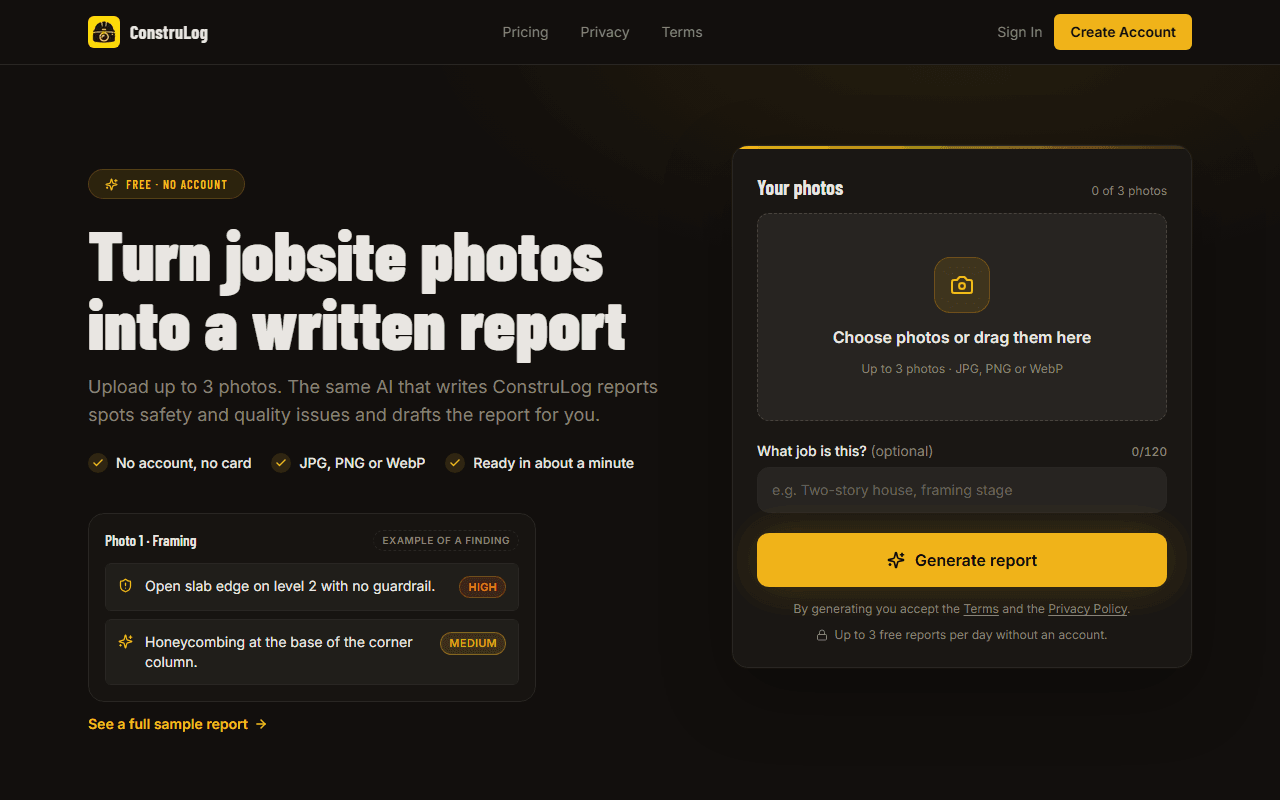
The no-account page lets you test a report on your own photos before signing up.
How to start without committing to anything
1Open the generator and run a report on a few of your own photos. No account is needed.
2Install the app from the App Store or Google Play if you like what you see, and create an account. You get 14 days of Teams-level features first (with trial usage quotas), and no credit card is needed.
3Capture a normal day on one real project, generate the daily log and edit it the way you would edit a colleague's draft.
4When the trial ends, you are on Free. Check the table above against how many reports you actually used, then decide whether to stay.
Yes. ConstruLog has a permanent Free plan for daily logs with photos, voice notes and an AI-written draft you review. It is limited to 1 active project, 3 AI reports, 20 photo analyses and 10 voice-note minutes per month. You can compare it with the paid plan in the table on this page, or see all plans on the pricing page.
Do I need a credit card for the free daily log app?
No. Signing up and the Free plan do not require a credit card. New accounts also get 14 days of Teams-level features first (with trial usage quotas: 15 AI reports, 150 photo analyses and 60 voice minutes in total), and when it ends the account moves to Free rather than to a paid plan.
What happens to my projects if I stay on Free after the trial?
Your existing projects stay accessible. Free only blocks creating or reactivating a project once you are over the limit of one active project. Nothing is locked or deleted when the trial ends.
Does the free construction daily log app work offline?
Only for capture. Photos and videos taken without a connection are saved on the phone and upload by themselves when the signal returns. Creating reports, generating the AI draft, writing comments and creating projects need a connection.
Is there a free construction daily report template I can use instead of an app?
Yes. There is a free construction daily report template in PDF, Word and Excel that you can download without an account. It is a plain form you fill in yourself, with no AI and no app.
Does the AI write the daily log for me?
It writes a draft from your photos, voice notes and comments, and you are responsible for the final text. You edit it before sending, and the PDF notes that it was prepared with AI assistance and reviewed by its issuer. The weather line is added only if at least one photo of the day has GPS.
Can my client sign a report on the Free plan?
No. Digital signature needs a paid plan. On Free, the PDF signature page prints blank lines for the client signature and the date, so you can still get a signature on paper.
Is there a free photo app for construction documentation?
Free includes photo and video capture with date, time and GPS stored for each photo, plus 20 AI photo analyses per month. You can try the report side first on the no-account generator.