Construction Daily Report Template: Free PDF, Word and Excel Download
A construction daily report is the written record of what happened on your site today: who was there, what they did, what showed up, what went wrong. This free template covers the whole day on a few pages, and you can download it as a PDF to print, a Word file to edit or an Excel sheet to fill in on a laptop. Below you will find every section explained, what each field is for and the mistakes that quietly ruin a report. No signup is needed to download it.
Pick the format that fits how your crew works. All three files contain the same sections in the same order, so a superintendent on paper and a project manager in Excel are filling in the same form.
Free download
Construction daily report template
Free to use and edit. Direct download — no email, no account.
The template is free to use and modify, and each page carries a small construlog.com footer. It is a plain form, not software: you fill it in by hand or by typing, and nothing is sent anywhere.
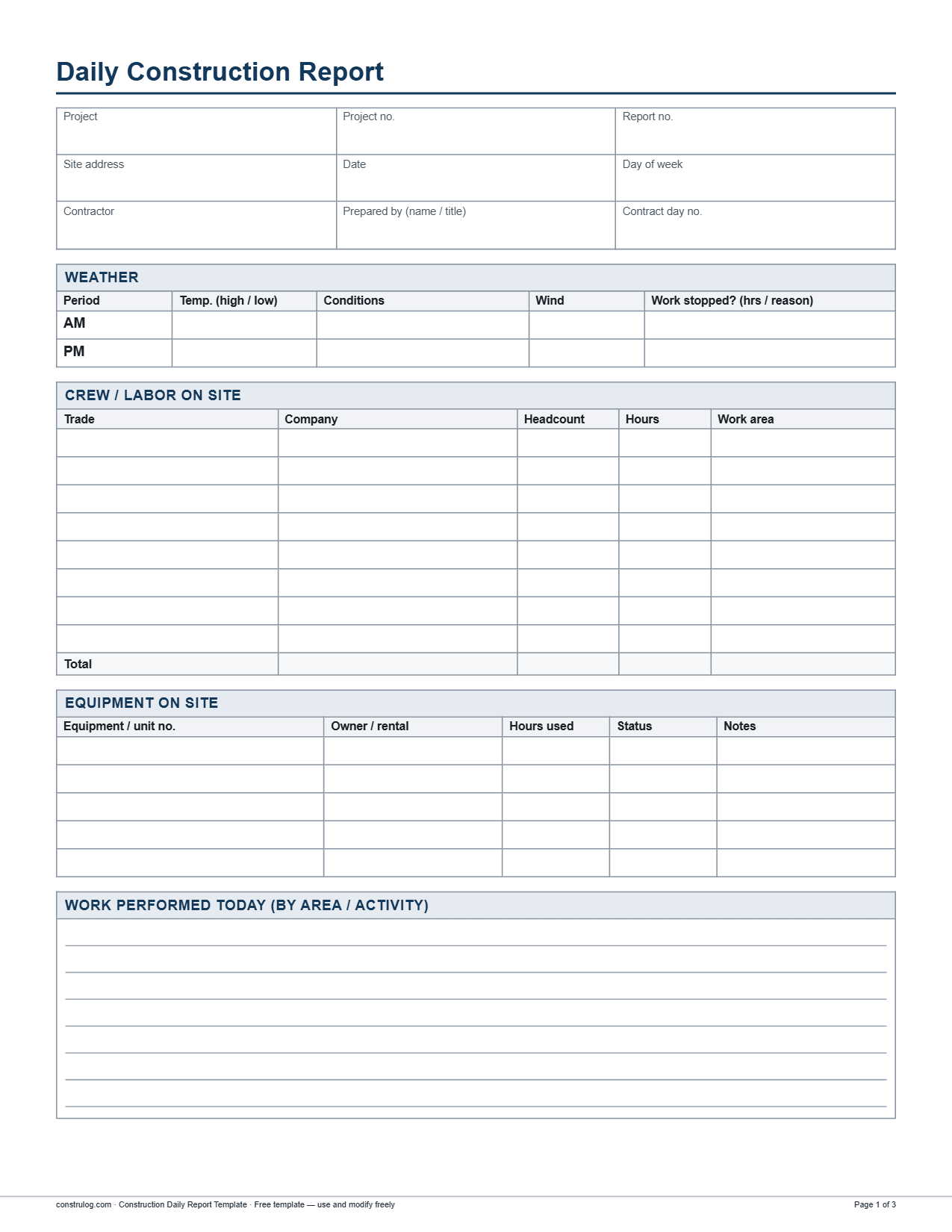
Page one of the PDF: project header, weather, crew and labor on site, and equipment on site.
What is inside the template, section by section
The form is built around the questions that come up when a daily report is pulled out months later, usually because of a dispute, a delay claim or a payment question. Each section is short on purpose, so a superintendent can finish it before leaving the site.
1Header (9 fields): project, project number, report number, site address, date, day of week, contractor, prepared by (name and title) and contract day number.
2Weather: one row for AM and one for PM with temperature (high and low), conditions, wind, and whether work was stopped (hours and reason).
3Crew and labor on site: trade, company, headcount, hours and work area, in eight rows with a total for headcount and hours.
4Equipment on site: equipment or unit number, owner or rental, hours used, status (working, idle or down) and notes, in five rows.
5Work performed today: a free-text block, organized by area or activity.
6Materials delivered: material, quantity, supplier, ticket or PO number and condition, in four rows.
7Inspections and visitors: time, name and company, purpose and result or follow-up, in four rows.
8Safety: a record with six options (no incidents, near miss, first aid, recordable injury, property damage, toolbox talk held) plus lines for details and corrective actions.
9Delays, issues and open items: free text for anything that slowed the work or still needs an answer.
10Photos: four photo slots in a two-by-two grid, each with a caption and a GPS and time line.
11Sign-off: two signature blocks, prepared by (superintendent) and reviewed by (project manager or owner representative), each with name, signature and date.
PDF, Word or Excel: which one should you use?
The content is identical, but the files behave differently, and it is worth knowing before you hand a stack of printouts to your foremen.
How the three file formats differ
How the three file formats differ
PDF
Word (.docx)
Excel (.xlsx)
Best for
Printing and filling in by hand on site
Typing and changing the form (add a row, rename a column)
Typing on a laptop and keeping one file per day or per week
Field guide: why each section matters and what goes wrong
Most daily reports fail in the same few ways. They are filled in from memory days later, they say "work continued as planned" and they leave out the details that matter in a dispute. The table below walks through each section of the template with the reason it is there and the mistake that comes up most.
Field, why it matters and the common mistake
Field, why it matters and the common mistake
Section / field
Why it matters
Common mistake
Date, day of week, contract day no.
Ties the report to one specific day, so you can line it up against the schedule, the contract clock and other records.
Leaving the contract day blank, or writing the date the report was typed instead of the day the work happened.
Report no.
Numbered reports show at a glance whether one is missing. A gap in the sequence invites questions.
Restarting numbering for each foreman, which creates several "report 14s".
Weather (AM and PM, high and low, wind)
Weather is a common reason for a lost day. A temperature or wind reading is stronger than "bad weather".
How to fill out a construction daily report
The steps below are the routine that keeps a daily report short and accurate. The idea is to collect facts during the day and write them down while they are fresh, instead of reconstructing the day at night.
1Fill in the header before the crew arrives: project, address, date, day of week, report number and contract day.
2Record the weather in the morning and again in the afternoon, with temperature and wind, and note the time of any stoppage.
3Take a headcount by trade and company at the start of the shift and adjust it at the end for anyone who left or arrived.
4Write down equipment as it works, goes idle or breaks down, including unit numbers.
5Log each delivery when it arrives, with the ticket or PO number, and note its condition before the driver leaves.
6Write the work performed by area and activity in the late afternoon, using quantities where you have them.
Adding photos to the daily report
Photos are the part of a daily report that settles arguments, and the part that is most often done badly. Take a few wide shots that show the area, then close-ups of anything you mention in the text. A caption that says level, area and what the photo shows takes ten seconds and saves a lot of guessing later. The template gives you four slots with a caption line and a GPS and time line for each. If you shoot more than four, attach them as a photo log. To keep that log organized, track construction site progress and monitor construction site quality with the same photos.
When a form is enough, and when it is not
A printed or typed template works well for a single site with one person responsible for the report. It costs nothing and it needs no training. It gets slower when you run several sites, when the superintendent is the only one who knows what happened and the notes live in a notebook, or when photos pile up in a phone gallery.
If that sounds familiar, ConstruLog can draft the daily log for you. You take photos and voice notes on site with the mobile app, and the daily log feature turns that day into a draft of two to five paragraphs covering work performed, personnel, materials and equipment observed, weather, safety, quality and open items for the next day. You review and edit the draft before it goes out. Weather comes from the coordinates of the first geotagged photo of the day; if no photo has GPS, the log is written without weather. The report can be exported as a PDF or Word file and shared with a link. Use it as a draft to correct, not as the final word: you are still the one who signs.
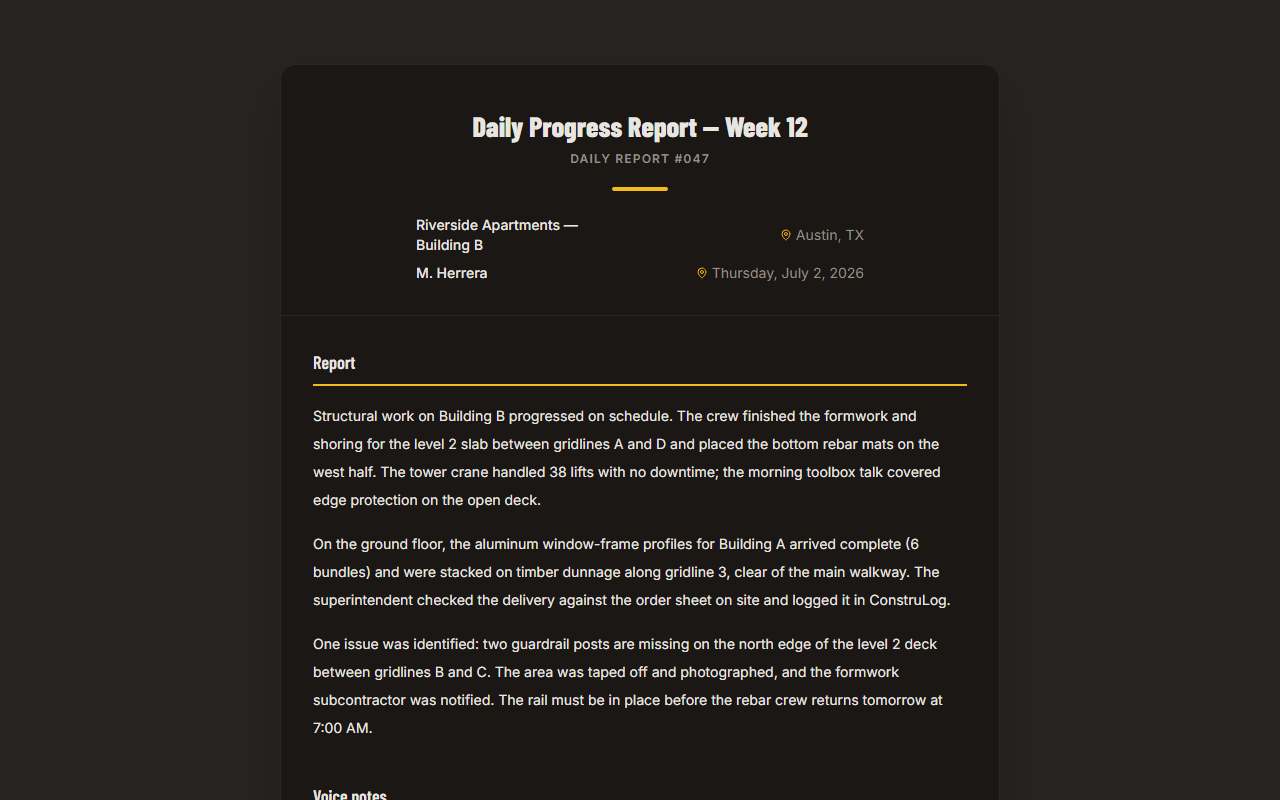
A sample ConstruLog report: project details and a written summary generated from site photos.
You can see how the AI step works in how ConstruLog uses AI, look at a finished sample in the demo report, or check pricing for plan limits. The Free plan includes a small monthly number of AI reports, and PDFs from it carry a ConstruLog header.
How to adapt the template to your project
Add rows where your site needs them. A site with many trades may need more than eight labor rows. In Word, insert rows instead of squeezing text. In Excel, insert them inside the table, above the last labor row, so the total formula expands to include them; a row added below the last labor row falls outside the sum. Cells in the sheet are merged, so check the layout after inserting.
Rename columns to match your contract. If your owner calls it a "work area" or a "cost code", use their word so the report matches their paperwork.
Keep the order. The sequence runs from the context of the day (weather, labor, equipment) to the work, to the exceptions (safety, delays), and then to the proof (photos, signatures). Reordering makes reports harder to compare.
Check your contract. Some owners and agencies require a particular format or extra items. Treat this template as a starting point and follow your contract documents first.
Frequently asked questions
What is a daily report in construction?
It is a written record of one day on a construction site. It covers the weather, the crew and equipment on site, the work performed, deliveries, inspections and visitors, safety, delays and photos. It is usually written by the superintendent or site manager and kept as part of the project record.
What should a construction daily report include?
At a minimum: project and date details, weather, labor by trade, equipment, work performed, materials delivered, visitors and inspections, safety, delays and open items, photos and a signature. The template on this page has all of these as separate sections.
Is there a free construction daily report template in PDF, Word and Excel?
Yes. The template on this page is free in all three formats. You can use and modify it freely, and it does not require an account. The PDF is meant for printing, the Word file for editing the layout and the Excel file for typing on a computer.
Which format is best: PDF, Word or Excel?
Use PDF if the report is filled in by hand on site, Word if you want to change the layout, and Excel if you prefer to type and want drop-down lists and automatic totals for headcount and hours. All three hold the same sections.
Who writes the daily report on a job site?
Usually the superintendent or site manager for the general contractor. Subcontractors may keep their own reports for their crews. The template has a "prepared by" block and a "reviewed by" block so the author and the reviewer are both on record.
How long should a daily report be?
Long enough to answer who, what, where and when, and short enough to be written the same day. For most sites that means one to three pages with the key sections filled in. Specific facts (quantities, names, times) are worth more than long paragraphs.
How is a daily report different from a daily log?
The two terms overlap, and the difference is mostly about how they are used. A daily report is usually sent to others, such as the owner or the project manager. A daily log is more often an internal running record. We have a separate construction daily log template if you want that format.
Can I fill in a daily report on my phone?
You can type in the Word or Excel file on a phone, but a form is awkward on a small screen. Another option is the ConstruLog mobile app, where you take photos and voice notes and the daily log feature drafts the report from them. It is available for iOS and Android, and you review and edit the draft before it goes out.